
Design Budgeting for Architects
Turn a fee number into a working budget — by phase, by person, in minutes.
DSGNBDGT
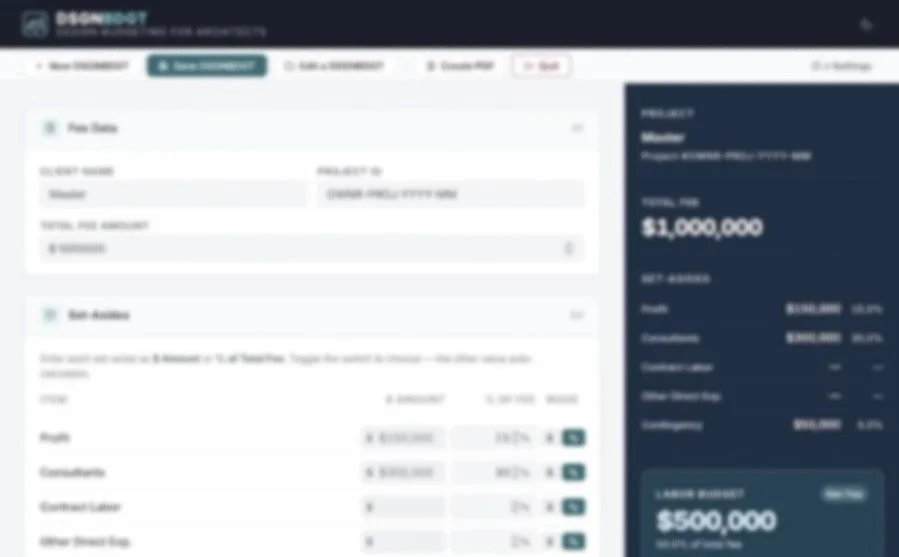
Every project starts with a fee. DSGNBDGT helps you understand what that fee actually means in hours of work. Enter your total fee, set aside profit and direct expenses, define your team’s rates, and allocate hours across project phases. The results update live. No spreadsheet required.
How It Works
DSGNBDGT follows the logic architects already use — it just removes the manual work.
Enter Your Fee
Step 1
Input the client name, project ID, and total fee amount. This is your starting point.
Enter Set-Asides
Step 2
Define profit, consultant fees, contract labor, contingency and other set asides — each as a dollar amount or a percentage. Your Labor Budget calculates automatically.
Pick Your Team
Step 3
Add each person’s hourly charge rate and their percent involvement in the project. DSGNBDGT calculates a weighted average hourly rate for the team.
Phase Allocation
Step 4
Distribute the labor budget across standard AIA phases — SD, DD, CD, BN, CA — or define your own. Each phase shows the allocated dollars, percentage, and hours.
What’s Included
Live calculations — all results update as you type, no submit button
Flexible set-asides — enter any deduction as a dollar amount or percentage
Team rate blending — weighted average hourly rate across your whole team
AIA phase library — standard phases pre-loaded; add custom phases as needed
Phase reordering — drag and drop phases into the sequence you prefer
Version history — every save creates a new version; prior versions are never deleted
PDF export — generates a clean, printable 8.5 × 11 budget report
Browser storage — all data stays in your browser, on your machine
Backup and restore — export all budgets to a single JSON file; import to restore
Dark mode — toggle between light and dark interface
No installation — one HTML file, opens in any modern browser
No subscription — buy once, use indefinitely
Built for Small-Firm Practice
DSGNBDGT is designed for architects running firms of one to ten people — where the principal is often the one doing the fee math. It assumes you already understand how architectural fees work. It doesn’t try to teach you; it just removes the friction of doing it manually or maintaining a custom spreadsheet.
If you’ve ever built a fee-to-hours breakdown in Excel and wondered why there wasn’t something faster, this is that something.
Produces a Professional Budget Report
Every DSGNBDGT can be printed or saved as a PDF directly from the browser. The report includes all fee data, set-aside calculations, team rates, and phase allocations in a clean, single-page format — dated and labeled with client and project information. Share it internally, attach it to a proposal, or keep it in the project file.
Sample report produced by DSGNBDGT
Technical Details
Detail - Specification
File format - Single HTML file
File size - ~120 KB
Dependencies - None — vanilla HTML, CSS, JavaScript
Internet required? - No — runs entirely offline
Data storage - Browser localStorage (stays on your machine)
Compatible browsers - Chrome, Edge, Firefox, Safari (current versions)
Print format - 8.5 × 11 in, portrait
Platform - Mac, Windows, any device with a modern browser
License - Single-user; not for redistribution
Download DSGNBDGT
DSGNBDGT is a one-time purchase. You receive the HTML file immediately after checkout. No account required after purchase.
$25
What you receive:
DSGNBDGT-11.html — the complete app
DSGNBDGT-Readme.pdf — installation and usage guide
Delivered as a digital download. No refunds on digital products. Single-user license.
Disclaimer
DSGNBDGT is a calculation aid intended to support — not replace — the professional judgment of a licensed architect. Fee structures, labor costs, and project scope vary significantly by project, firm, region, and contract type. The results produced by DSGNBDGT are estimates based solely on the values you enter. They do not constitute financial, legal, or professional advice.
Architekwiki and its principals make no representations or warranties regarding the accuracy, completeness, or fitness for purpose of calculations produced by this tool. Users are solely responsible for verifying all outputs before applying them to any professional or contractual decision.
DSGNBDGT stores data in your browser’s localStorage. Architekwiki does not collect, transmit, or have access to any data entered into the app. Data persistence depends on your browser settings; regular export of backup files is strongly recommended.
DSGNBDGT is an architectural fee budgeting tool designed for small-firm architects who need to convert a project fee into a detailed labor budget broken down by project phase. Using standard AIA phases — Schematic Design, Design Development, Construction Documents, Bidding and Negotiation, and Construction Administration — architects can allocate hours based on their team’s weighted average hourly rate. Set-asides for profit, consultants, contract labor, direct expenses, and contingency are calculated automatically. DSGNBDGT runs as a single browser-based HTML file with no installation or subscription required, and all data is stored locally in the browser. Available from Architekwiki, a resource for practicing architects.